
POS software has evolved from simple cash registers into central systems that power daily sales operations. Australian businesses now rely on it to connect transactions, inventory, and reporting in real time.
As digital expectations rise, speed and accuracy at checkout directly affect customer experience and revenue. As the closest proxy for POS adoption in Australia, AusPayNet reported that as of June 2024, there were 1,009,076 POS devices nationwide, an increase of more than 46,000 units compared to 2023.
A modern POS must support seamless payments, stock visibility, and data-driven decisions. Choosing the right system reduces errors, prevents stock gaps, and improves operational flow, making it a strong foundation for scalable and efficient growth.
Key Takeaways
|
Best POS Systems in Australia at a Glance (Shortlist)

Best Because
Zero monthly fees, pay-per-transaction model.



Best Because
Deep inventory depth for multi-store retail.


Best Because
Free core software with paid add-ons.
The Criteria Used to Review These Best POS Software
Our analysis goes beyond surface-level feature lists to understand the architectural suitability of each platform for the Australian market.
- Ecosystem Integration & API Maturity: Assessed how well each POS integrates with accounting and marketing tools, prioritizing reliable two-way data sync to ensure a fully synchronized Point-of-Sale software environment without double entry.
- Inventory Logic & Complexity: Checked how the system manages complex inventory scenarios like variants, bundles, and multi-location stock, not just basic stock counts.
- Australian Compliance & Payments: Reviewed compatibility with common Australian EFTPOS setups and assessed receipt, surcharge transparency, and tax configuration compliance.
- Total Cost of Ownership (TCO): Estimated the real 3-year cost including hardware, subscriptions, and payment processing fees, not just the advertised monthly price.

Quick Comparison Table
Below is a high-level matrix comparing leading manufacturing POS Software in Australia, based on which ones best fit user and where they typically perform strongest. Use it to quickly narrow your shortlist before reviewing details like pricing, implementation approach and compliance requirements.
| Features | Square | Zeller | HashMicro POS | Lightspeed | Shopify POS | Hike POS | Loyverse | Idealpos | Impos | SwiftPOS | Tower Systems | Tyro | CommBank EFTPOS | TouchBistro | Retail Express | POSApt |
|---|---|---|---|---|---|---|---|---|---|---|---|---|---|---|---|---|
| Ease of Setup | ||||||||||||||||
| Inventory Management Depth | ||||||||||||||||
| Reporting & Analytics | ||||||||||||||||
| Omnichannel Capability | ||||||||||||||||
| Offline Reliability | ||||||||||||||||
| Customization & Flexibility | ||||||||||||||||
| Scalability (Multi-Location) | ||||||||||||||||
| Local AU Compliance & Support |
The 16 Best POS Systems in Australia: Detailed Reviews
Below is a comprehensive breakdown of the top 16 systems. Each review dissects the software’s architecture to help you determine if it aligns with your operational volume and complexity.
1. Square POS: Best for Small Businesses & Startups
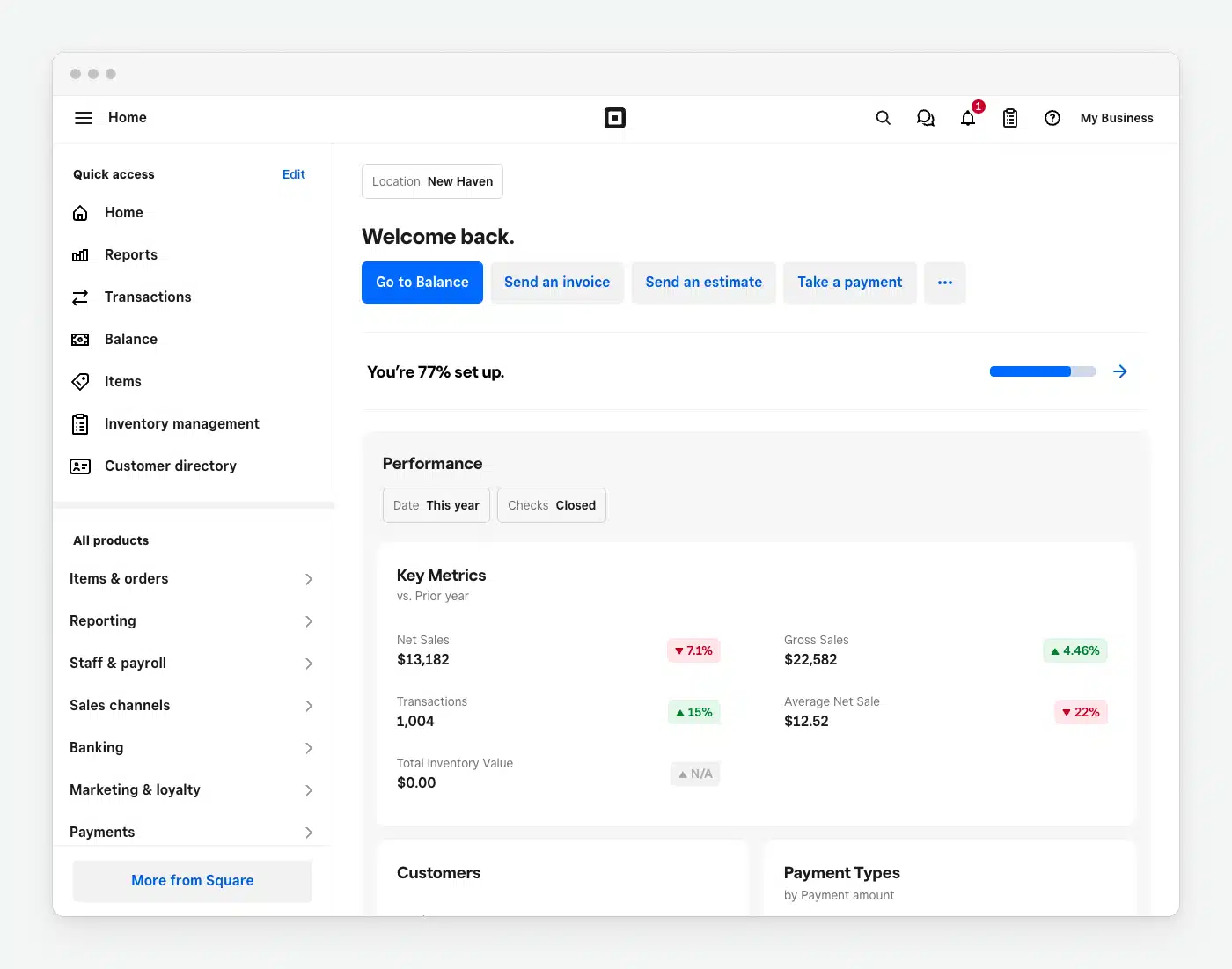
Square is a popular choice in the pos software Australia market for businesses that want a fast, simple setup to start taking payments. It’s designed to run smoothly on tablets or dedicated terminals with minimal configuration.
Key Features:
- Unified Payments: No need for a separate merchant account; approval is instant and integrated directly into the POS interface.
- Virtual Terminal: Allows businesses to take payments over the phone or via computer without physical hardware.
- Basic Inventory: Tracks stock counts and sends low-stock alerts, suitable for simple product lines.
| Pros | Cons |
|
|
Pricing: A$0/month for software. Transaction fees apply (approx 1.6% to 2.2% depending on card type).
Suitable for: Small businesses needing quick setup, easy day-to-day use, and flexible hardware options.
2. Zeller: Best Low-Fee Australian Alternative
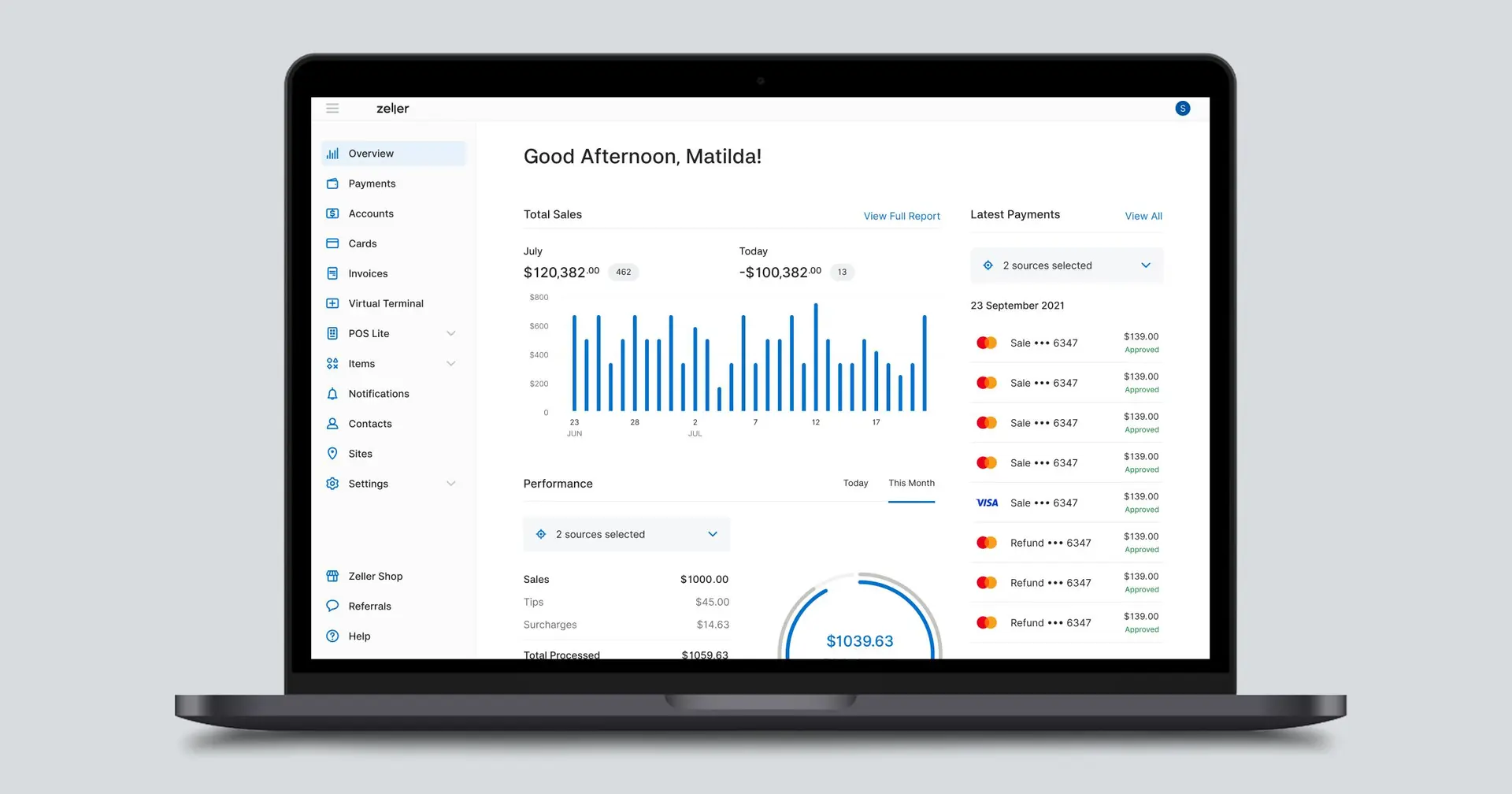
Zeller is a local all-in-one POS and payments option that links EFTPOS and settlements in one flow. It is often seen as one of the best pos system Australia picks for merchants prioritizing competitive transaction rates and simple setup.
Key Features:
- Zeller Terminal: A proprietary Android-based terminal that acts as both the POS interface and the card reader.
- Instant Settlement: Funds are available in your Zeller Transaction Account nightly, faster than many traditional banks.
- Surcharging Controls: Granular control over passing transaction fees to customers, ensuring compliance with RBA rules.
| Pros | Cons |
|
|
Pricing: Terminal cost is approximately AUD 364, with low flat-rate transaction fees of around 1.4%.
Suitable for: Merchants wanting an all-in-one local payments setup with streamlined settlement and reporting.
3. HashMicro POS: Best ERP-Integrated POS for Enterprises
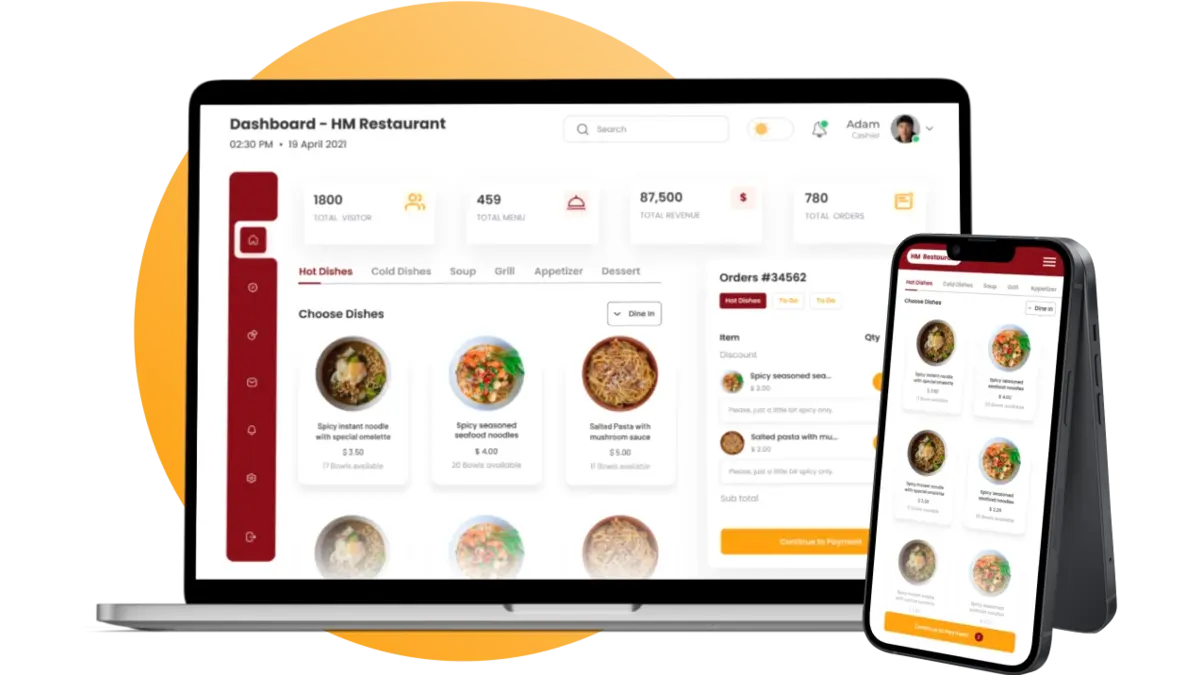
HashMicro POS connects sales directly to wider ERP workflows, linking operations like procurement, accounting, and warehouse management. It suits complex, multi-location businesses that need tighter control and unified data for planning and forecasting.
Key Features:
- Centralized Inventory Matrix: Manages thousands of SKUs across multiple warehouses with support for serial numbers, batch tracking, and expiration dates.
- Omnichannel Loyalty Program: A unified loyalty engine that tracks customer behavior across online and offline channels, enabling personalized marketing.
- Automated Procurement: The system can automatically trigger purchase orders to suppliers based on low-stock thresholds and sales velocity trends.
- Seamless ERP Integration: Native connection to HashMicro’s Accounting, HRM, and CRM modules ensures real-time financial visibility without manual reconciliation.
| Pros | Cons |
|
|
Pricing: Custom pricing based on modules and scale. Contact for a tailored consultation and ROI analysis.
Suitable for: Businesses that want POS connected to wider ERP workflows like inventory, purchasing, and reporting.
Explore HashMicro pricing and discover the right solution for your business. Click to view plans and packages.
4. Lightspeed: Best for Mid-Size Retail Chains
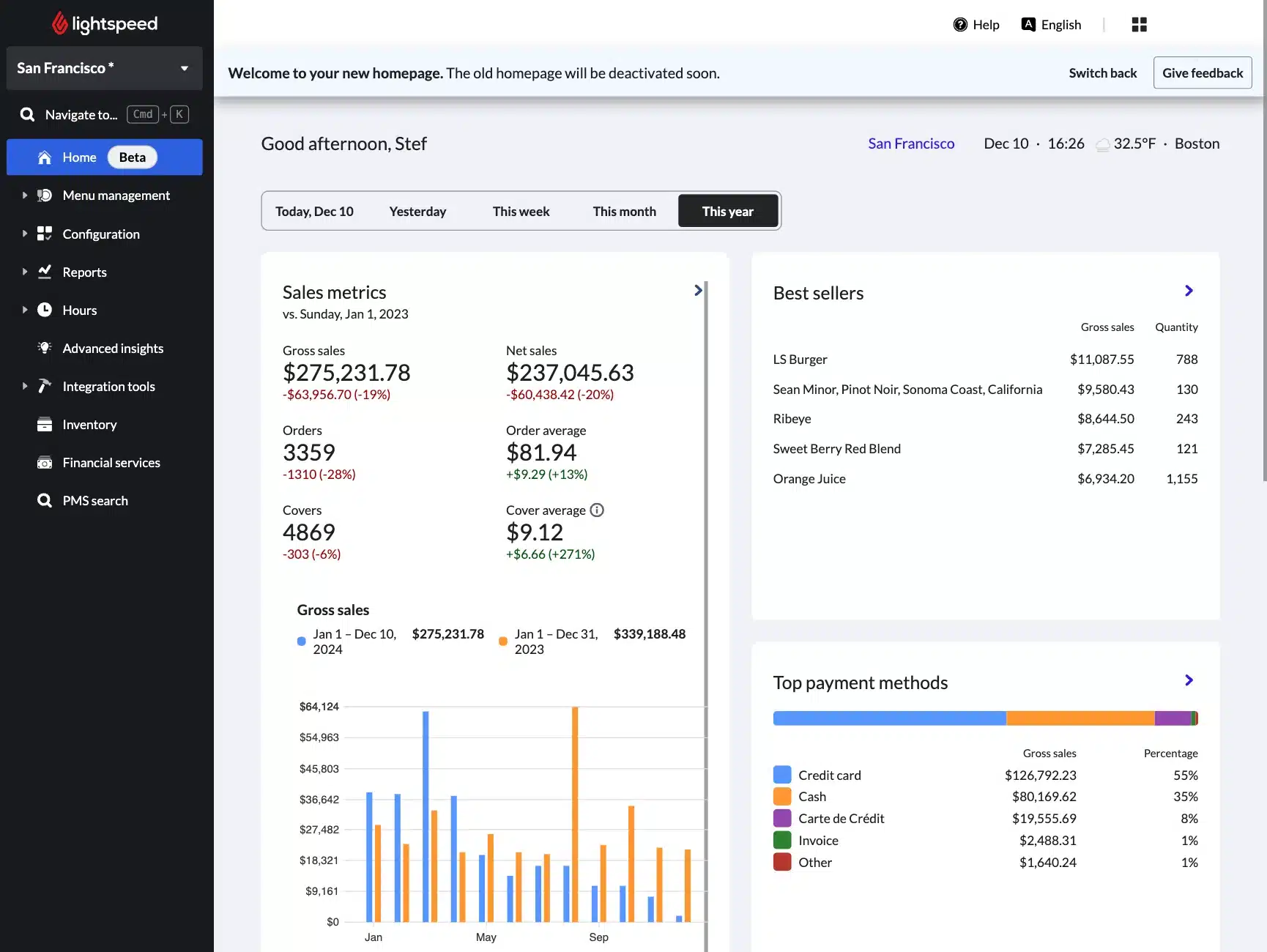
Lightspeed point of sale software is one of the best options for inventory-heavy businesses, combining an easy interface with advanced stock control. It is especially strong for managing variants, bundles, and multi-location inventory.
Key Features:
- Multi-Outlet Management: Easily transfer stock between stores and view aggregated reports from a central dashboard.
- Advanced Reporting: granular metrics on sell-through rates, margins per product, and staff performance.
- eCommerce Integration: Strong native integration with its own eCom platform as well as Shopify and WooCommerce.
| Pros | Cons |
|
|
Pricing: Starts at approximately AUD 141/month per register. Higher tiers are required for advanced reporting.
Suitable for: Inventory-heavy retailers needing strong stock control across products, variants, and locations.
5. Shopify POS: Best for Omnichannel Retail
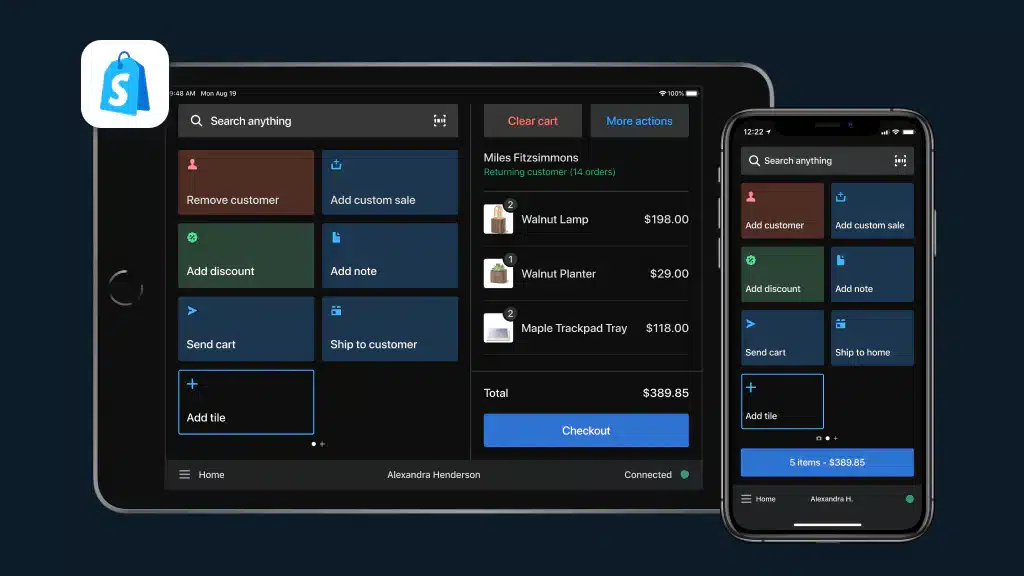
Shopify POS is a strong point of sale software choice for omnichannel businesses, unifying online and in-store sales in one backend. It syncs inventory in real time across channels to prevent overselling.
Key Features:
- Unified Customer Profiles: View a customer’s total lifetime value and order history from both online and in-store channels at the register.
- Buy Online, Pick Up In-Store (BOPIS): Native support for click-and-collect workflows without complex plugins.
- Smart Grid Interface: A highly customizable tile-based interface that speeds up checkout for staff.
| Pros | Cons |
|
|
Pricing: ‘Lite’ is included with Shopify plans. ‘Pro’ features cost approximately AUD 125/month/location.
Suitable for: Omnichannel businesses that need tight alignment between online store and in-store sales.
6. Hike POS: Best Australian-Built Retail POS
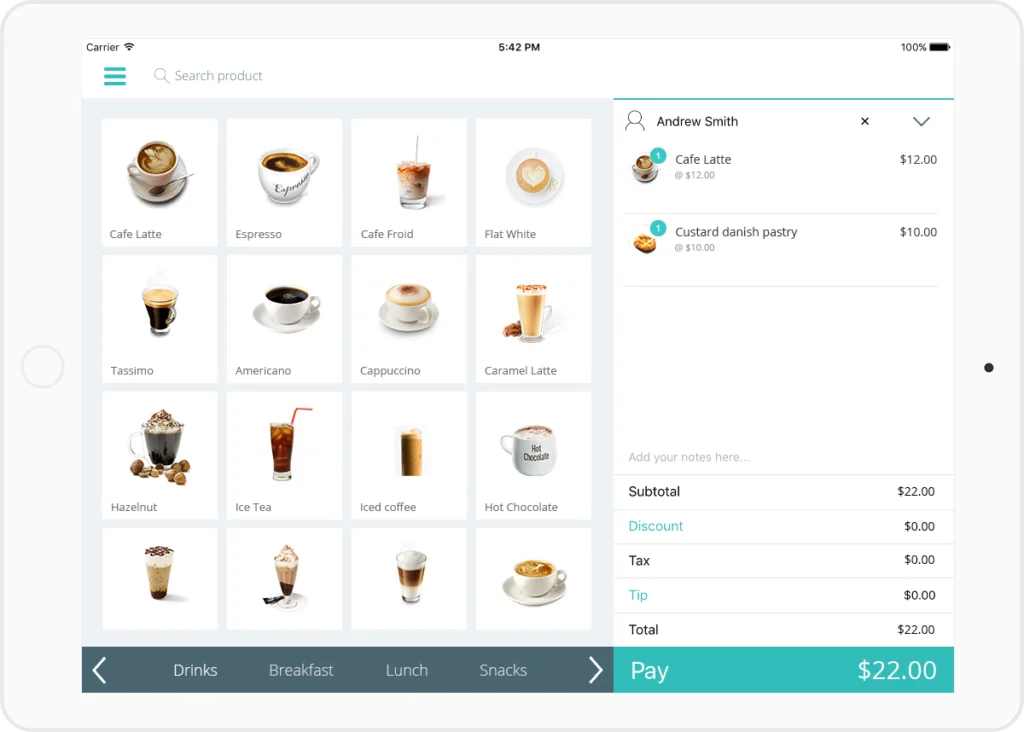
Hike POS is an Australian cloud-based system that runs on iPad and desktop, making it flexible for different setups. Known for strong Xero integration, it offers detailed account mapping for cleaner financial syncing.
Key Features:
- Gift Card Management: Native system for issuing and redeeming gift cards without third-party fees.
- Roster Management: Basic staff scheduling and time-clock features built directly into the POS.
- Plug-and-Play Hardware: Compatible with a wide range of generic scanners and printers, reducing hardware lock-in.
| Pros | Cons |
|
|
Pricing: Starts at approximately AUD 98/register/month.
Suitable for: Australian retailers wanting cloud POS that works across devices and supports structured inventory.
7. Loyverse POS: Best Free POS System
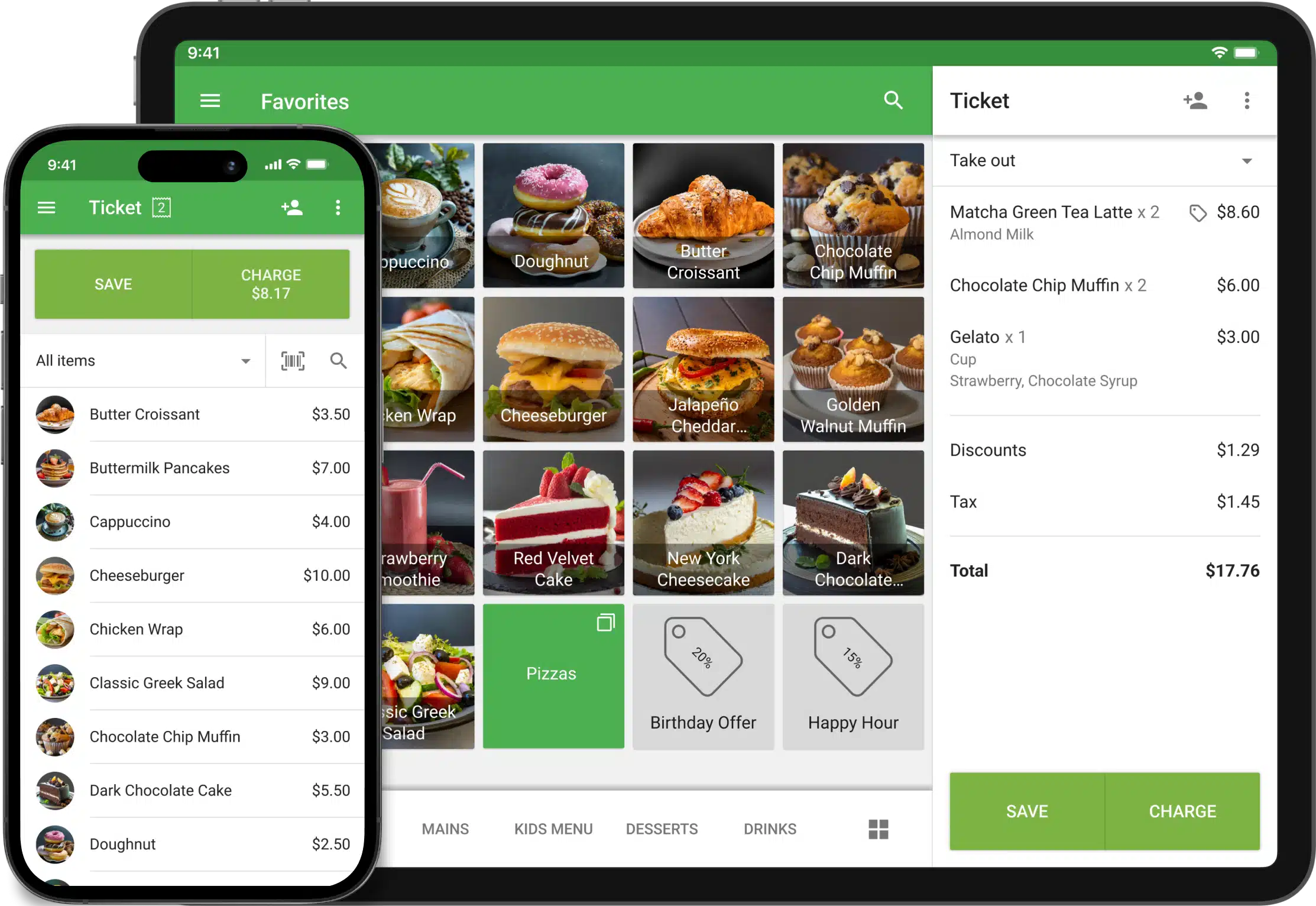
Loyverse is a budget-friendly option for best pos system australia, ideal for small teams with simple catalogs that want basic inventory, loyalty, and tablet-based kitchen or customer displays.
Key Features:
- Built-in Loyalty: Customers earn points for purchases through a simple reward point system for customer retention, which is rare for free software.
- Ingredient Tracking: Basic inventory management allows tracking of ingredients for menu items.
- Mobile Dashboard: Owners can view sales analytics in real-time from a dedicated mobile app.
| Pros | Cons |
|
|
Pricing: Free core app. Add-ons such as Employee Management and Advanced Inventory cost approximately AUD 7–AUD 35/month.
Suitable for: Small shops and cafés wanting a simple, low-cost POS with basic inventory and loyalty.
8. Idealpos: Best for Pubs, Clubs & AU Hospitality
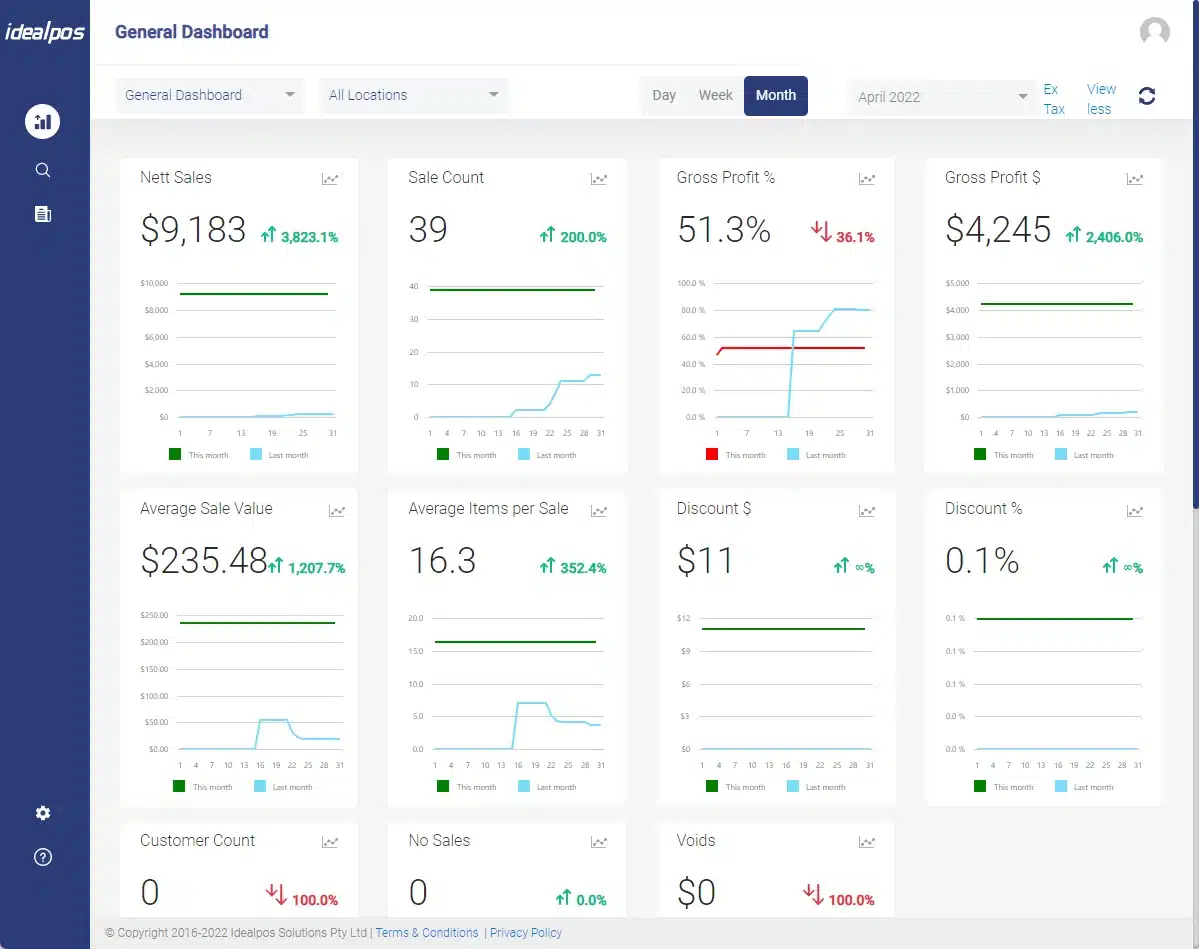
Idealpos is a POS software Australia option for high-volume hospitality venues that need stable performance even during internet outages. It suits pubs, clubs, and hotels with complex pricing, memberships, and venue-specific operations.
Key Features:
- Graphical Table Map: Highly detailed floor plans with status indicators for table service.
- Membership Integration: Deep links with gaming and club membership systems for points redemption.
- Stock Control: Handles keg monitoring and nip pouring measurements accurately.
| Pros | Cons |
|
|
Pricing: Quote-based. Typically involves upfront licensing or higher monthly fees.
Suitable for: Retailers wanting broad functionality with flexibility across different store types.
9. Impos: Best for Restaurants & Cafés
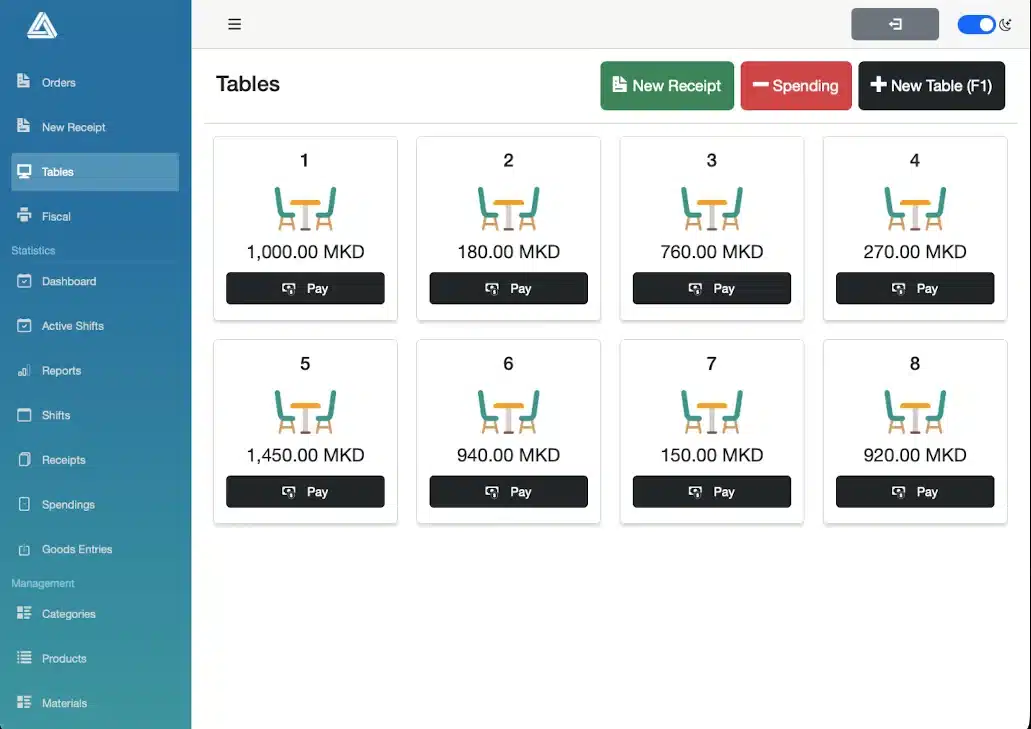
Impos is built for fast-paced Australian cafés and restaurants, prioritising speed and efficient workflows. Impos also supports delivery-platform integrations so online orders can flow straight to the kitchen, reducing manual effort.
Key Features:
- Speed of Service: The interface is optimized for minimum clicks to process an order.
- Delivery Integration: Centralizes delivery platform orders to prevent tablet clutter on the counter.
- Advanced Surcharging: Automatically applies weekend or public holiday surcharges to ensure profitability.
| Pros | Cons |
|
|
Pricing: Starts at approximately AUD 85/month. Hardware bundles are also common.
Suitable for: Pubs, bars, and clubs needing venue-style POS features and table or tab management.
10. SwiftPOS: Best for Large Venues & Events
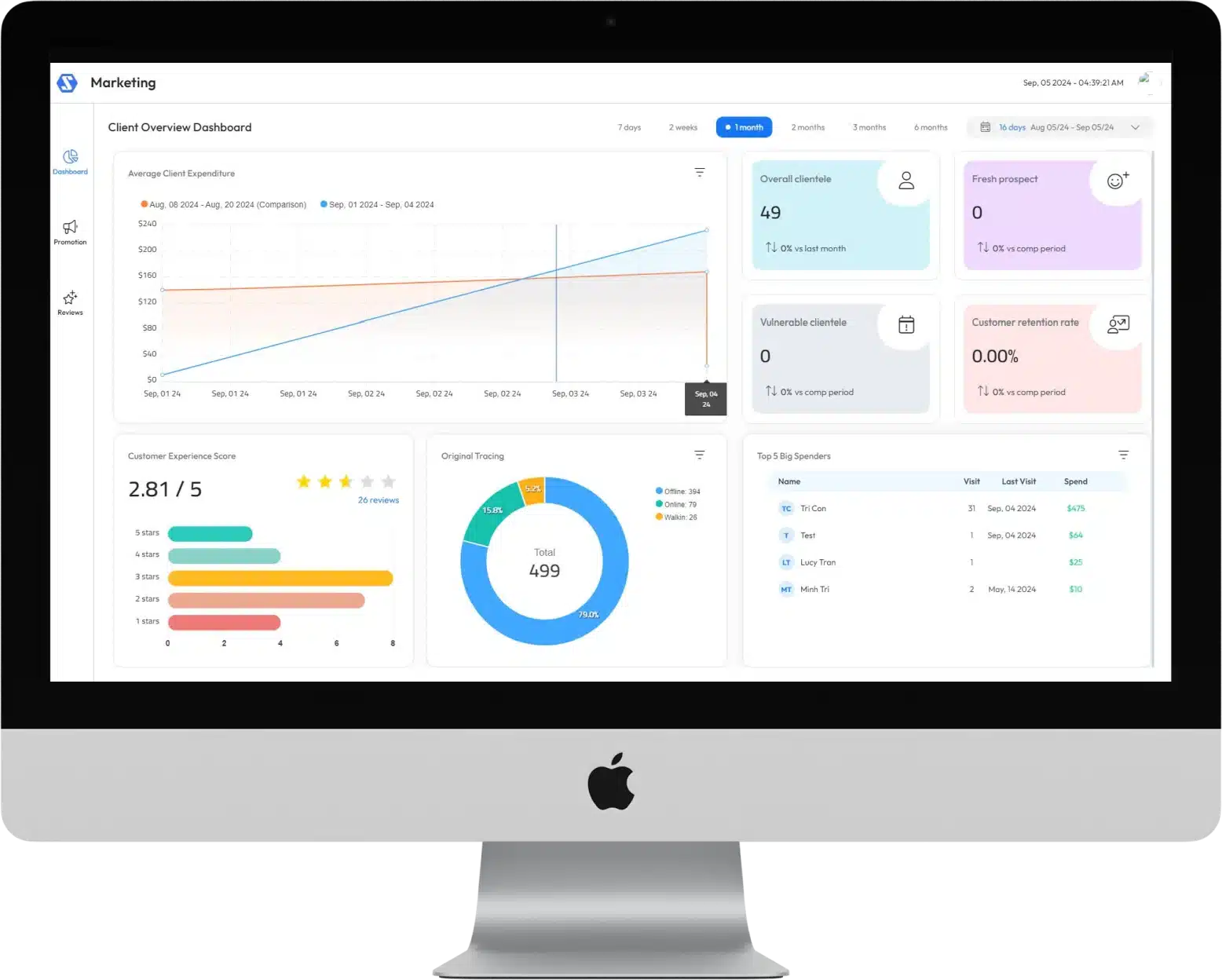
SwiftPOS is a pos software Australia option built for high-volume, multi-venue operations needing extreme reliability, also supports central head office control to push updates across locations fast.
Key Features:
- Head Office Control: Centralized management of pricing, promotions, and stock for franchise networks.
- Digital Signage Integration: Can drive menu boards that update automatically when stock runs out.
- Event Mode: Specialized features for quick-service bars at major sporting events.
| Pros | Cons |
|
|
Pricing: Enterprise quoting only. Significant investment required.
Suitable for: Hospitality venues that need stable POS workflows for high-volume trading.
11. Tower Systems: Best for Specialty Retail Niches
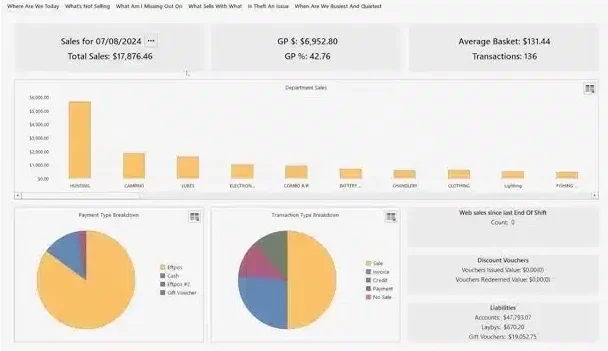
Tower Systems offers POS versions built for specific retail niches rather than one generic system. This vertical focus includes industry-specific workflows and integrations that standard POS tools often miss.
Key Features:
- Magazine Management: Automated electronic invoicing and returns processing for newsagents.
- Repairs Tracking: specialized modules for bike shops and jewelers to track customer repair jobs.
- Local Knowledge: The company is deeply embedded in Australian retail associations.
| Pros | Cons |
|
|
Pricing: Subscription costs approximately AUD 261/month, with upfront purchase options also available.
Suitable for: Specialty retailers needing deep retail features for complex store operations and reporting.
12. Tyro: Best Australian EFTPOS Terminal with POS Features
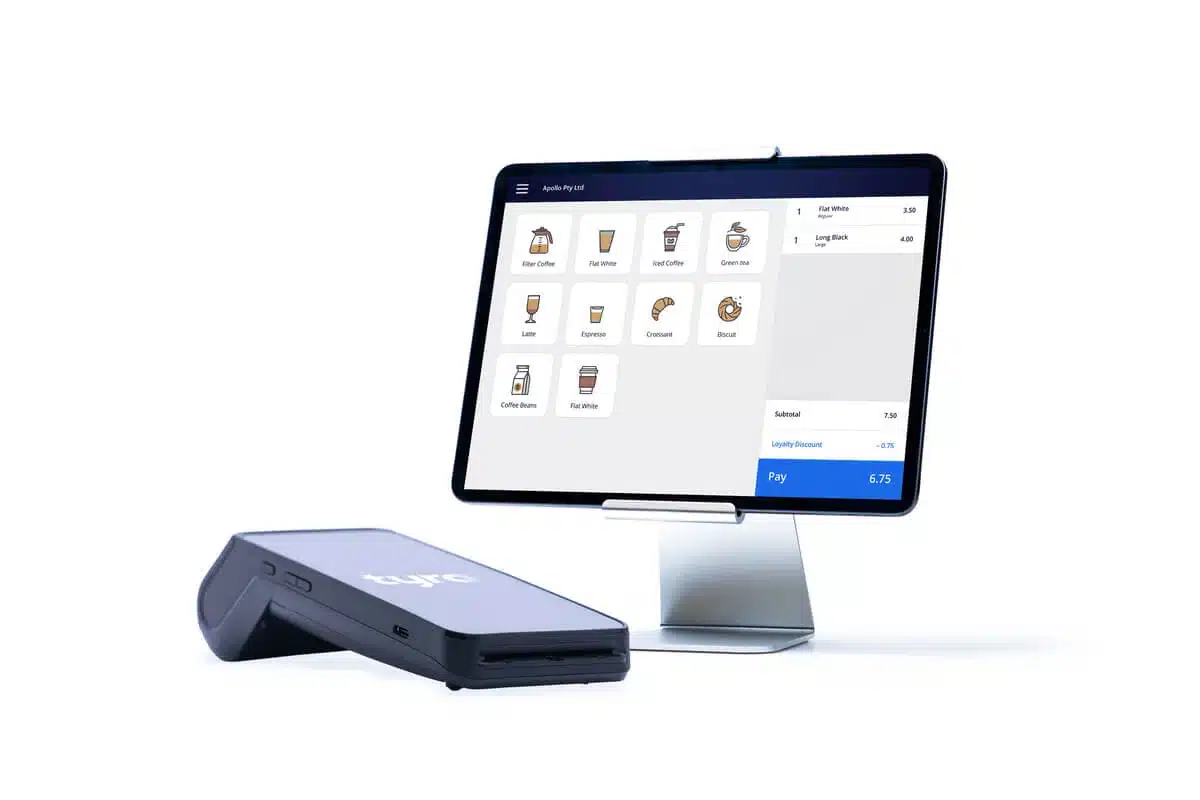
Tyro is a payments-led POS option suited to service and mobile businesses where checkout is the main workflow. Its health claiming integration makes it especially relevant for medical and allied health providers.
Key Features:
- Integrated Health Claiming: Seamless processing of private health insurance claims on the terminal.
- Reliability: Utilizes 3G/4G backup and dual data centers for 99.9% uptime.
- Tap & Save: Least-cost routing functionality to lower merchant service fees on debit transactions.
| Pros | Cons |
|
|
Pricing: Custom merchant rates. Terminal rental fees apply.
Suitable for: Service-led businesses that prioritize fast, reliable payments and simple checkout workflows.
13. CommBank EFTPOS: Best for Businesses That Need Reliable EFTPOS Hardware
CommBank EFTPOS is a payments-led solution for Australian businesses that already have a POS workflow and mainly need dependable EFTPOS hardware. It is especially relevant for merchants that want simple in-store payment processing, low monthly rental, and the backing of one of Australia’s largest banks.
It works well as an add-on to an existing POS setup rather than a full business management platform. For businesses already using CommBank services or BigCommerce, it offers a practical path to faster setup and smoother payment processing.
Key Features
- Albert Terminal Options: Choose from Smart, Smart Integrated, and Essential Plus terminals based on your checkout setup.
- BigCommerce Integration: Connects well with BigCommerce for businesses that want online and in-store payment alignment.
- Same-Day Settlement: Eligible merchants with a linked CommBank business account can access faster settlement.
| Pros | Cons |
|
|
Pricing: Starts at approximately AUD 29.50/month, with transaction fees from around 1.1%.
Suitable for: Businesses that already have POS software and want reliable EFTPOS hardware with low overhead.
14. TouchBistro: Best POS for Restaurants and Hospitality
TouchBistro is a restaurant-focused POS and management system built for venues that need stronger control over front-of-house service and guest experience. It is particularly well-suited for restaurants, cafes, and hospitality operators that want tableside ordering, flexible floor payments, and restaurant-specific workflows in one platform.
Unlike general retail POS tools, TouchBistro is designed around hospitality operations. That makes it a stronger fit for food service businesses, although the total cost can rise once add-ons are included.
Key Features
- Tableside Ordering and Payments: Staff can take orders and process payments on the floor to speed up service.
- Restaurant Management Tools: Supports reservations, takeaway orders, staff management, and produce tracking.
- Loyalty and Marketing Add-Ons: Helps venues run promotions and encourage repeat visits through paid extensions.
| Pros | Cons |
|
|
Pricing: Starts at approximately AUD 107/month, with paid add-ons for features such as online ordering and marketing.
Suitable for: Restaurants and hospitality businesses that want a POS system built around guest service and venue operations.
15. Retail Express: Best Australian Retail POS with Strong Integrations
Retail Express is an Australian cloud-based retail POS designed for businesses that want inventory, purchasing, and retail operations connected in one platform. It is positioned as a retail-first solution and can be a good fit for stores that want deeper integrations with accounting, eCommerce, and marketing tools.
Because it is built specifically for retail, Retail Express offers more operational depth than basic payment-led systems. It is most suitable for businesses with straightforward retail workflows, while more complex custom sales processes may need extra flexibility.
Key Features
- Retail Integrations: Connects with tools such as Shopify, WooCommerce, Afterpay, Microsoft, and Mailchimp.
- Inventory and Purchasing Tools: Supports low-stock alerts, purchase ordering, and inventory visibility.
- Business Management Support: Helps retailers link POS processes with broader retail operations and reporting.
| Pros | Cons |
|
|
Pricing: Contact Vendor
Suitable for: Retail businesses that want a local retail-first POS with solid integrations and inventory control.
16. POSApt: Best Customisable POS for Growing Australian Businesses
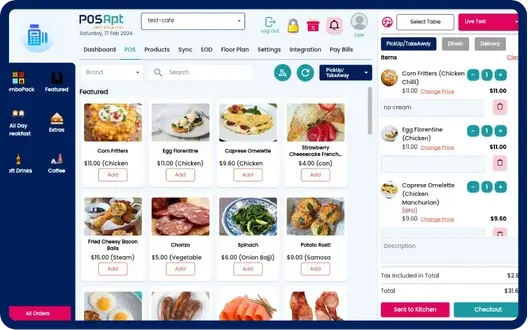
POSApt is an Australian-built POS and business management platform designed for retailers and hospitality operators that want flexibility without moving into full ERP complexity. It focuses on configurable workflows, local compliance, and strong back-office visibility.
Key Features:
- Flexible POS Workflows: Supports retail, hospitality, and hybrid setups with customizable screens, menus, and pricing rules.
- Integrated Inventory & Purchasing: Real-time stock tracking, supplier management, and automated reordering across single or multiple locations.
- Australian Compliance Ready: Designed for GST handling, local tax rules, and common Australian retail and hospitality requirements.
- Cloud with Offline Support: Continues processing sales during internet outages and syncs automatically when back online.
| Pros | Cons |
|
|
Pricing: Custom pricing based on business size, modules, and deployment. Typically positioned between entry-level cloud POS and enterprise systems.
Suitable for:
Australian businesses that have outgrown basic POS systems and want more control over inventory, purchasing, and workflows without the cost and complexity of a full ERP implementation.
Why Do You Need a POS System?
A modern POS system does more than process sales. The right pos software helps businesses improve speed, accuracy, and visibility across daily operations.
- Faster, more accurate transactions: Good point-of-sale software speeds up checkout and reduces manual errors during busy hours. This helps staff serve customers faster and creates a smoother buying experience.
- Real-time inventory control: Strong pos software Australia solutions track stock levels as sales happen, so teams can avoid stock gaps and over-ordering. Better stock visibility helps businesses protect revenue and keep operations more organised.
- Better sales and business reporting: The best pos software gives owners access to real-time reports on sales, products, and staff performance. With clearer data, businesses can make faster and more confident decisions.
- Stronger customer experience: A reliable POS system supports quick payments, cleaner transactions, and a more consistent service experience. This matters because customer satisfaction often depends on speed and convenience at checkout.
- Easier multi-store and omnichannel management: For growing businesses, the best pos system Australia should connect in-store sales, inventory, and reporting across locations. This creates better control as operations become more complex.
- A stronger foundation for growth: The right POS software not only supports today’s transactions but also prepares the business for expansion. As sales volume grows, a scalable system helps maintain efficiency without creating more manual work.
What to Look for in a Point of Sale Software in Australia
Before comparing features, businesses need to assess how a POS will support their sales volume, inventory flow, and day-to-day operations. A system may look strong on paper, but the real value depends on how well it fits your business model, growth plans, and operating complexity.
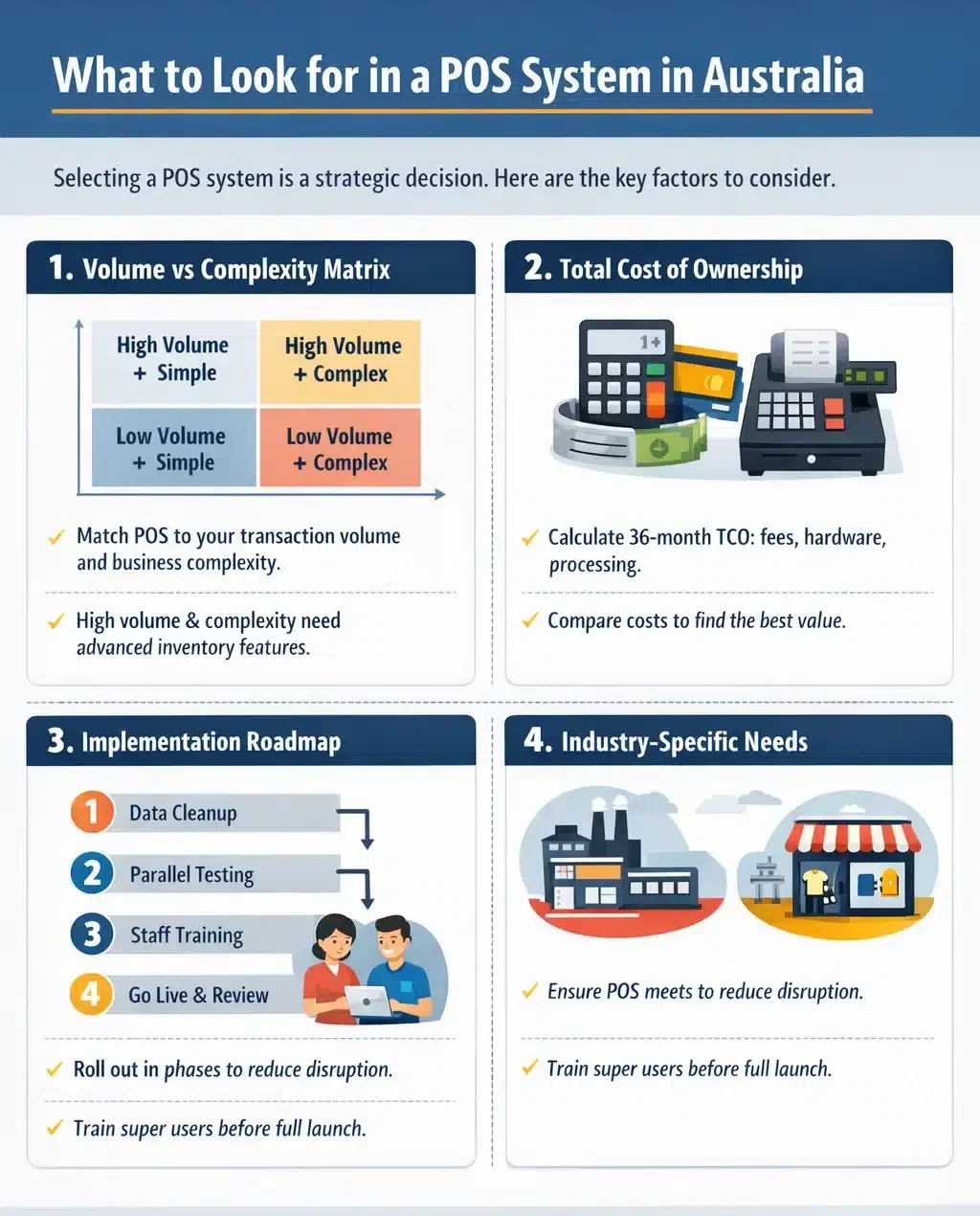
Selecting a POS system is a strategic decision that impacts your operational efficiency for years. As a core part of your store operation system, the right POS connects sales, inventory, reporting, and daily workflows into one streamlined process.
1. The volume vs complexity matrix
Match the POS to transaction volume and operational complexity: high-volume setups need speed and stability, while complex businesses need stronger order management and flexible workflows.
When both volume and complexity are high, prioritize systems with deeper back-office and inventory capabilities to handle large data loads.
2. Total cost of ownership (TCO) analysis
Look beyond monthly subscription fees and calculate the real 36-month cost, including hardware refresh and payment processing. Even small differences in merchant fees can add up significantly at scale, so compare pricing structures carefully.
3. Implementation roadmap
To minimize disruption, follow a phased rollout starting with Phase 1 where customer and product data are cleaned before migration, then Phase 2 where the new POS runs alongside the old system for about a week to catch configuration issues,.
Followed by Phase 3 where selected super users are trained first and then coach the rest of the team, and finally Phase 4 where the system goes live during a quiet period and performance is reviewed after 30 days to refine workflows.
4. Industry-specific requirements
Ensure the POS supports industry logic such as materials deduction for manufacturing or wholesale and smart stock movement for multi-store retail. The best fit is the one that aligns with how inventory and sales actually move in your business.
Conclusion
Choosing the best pos system Australia depends on operational complexity, growth plans, and integration needs. A system that fits daily workflows will deliver stronger control and smoother transactions.
Modern POS software should connect sales, inventory, and reporting in real time. This alignment reduces manual work and prevents costly data gaps across locations.
The right decision strengthens efficiency, visibility, and long-term scalability. Investing carefully today ensures the POS remains a growth enabler, not a limitation.
If you’d like, book a free consultation to explore how POS software can simplify daily operations and support better business decisions.
Frequently Asked Questions About POS Software
-
What is the average cost of a POS system in Australia?
Costs vary significantly. Basic cloud apps like Square have no monthly fee but higher transaction rates. Mid-range systems like Lightspeed cost between $60-$120/month per register. Enterprise ERP-integrated systems like HashMicro are quote-based depending on complexity.
-
Do I need an internet connection for cloud POS software?
Most modern cloud POS systems have an ‘offline mode’ that allows you to continue processing sales if the internet drops. Data syncs automatically once the connection is restored. However, payment terminals may revert to 3G/4G backup.
-
What is the difference between POS and ERP?
A POS (Point of Sale) handles sales transactions. An ERP (Enterprise Resource Planning) manages the entire business, including finance, HR, and supply chain.
-
What is the difference between cloud and server-based POS?
Cloud POS systems store data online and sync across devices, with automatic updates and remote access. Server-based POS keeps data on local hardware, works fully offline, and can be more stable in high-volume environments, but needs more on-site maintenance.
-
What is the best POS for a small business in Australia?
The best choice depends on your needs. Simple cloud POS apps handle daily sales well, while more comprehensive platforms, including those with extended inventory, purchasing, and reporting capabilities like HashMicro’s ERP-integrated POS tools offer stronger operational control as you grow.