







Accounting software does the heavy lifting when it comes to tracking your business finances. From recording daily transactions to preparing BIR-compliant tax reports, these tools handle the repetitive work that used to eat up hours of your accountant’s time.
For Philippine businesses, whether you’re running a sari-sari store in Quezon City or managing a manufacturing plant in CALABARZON, the right financial management tool can mean the difference between scrambling during tax season and having everything ready when the BIR comes knocking.
We’ve tested and compared 12 bookkeeping and financial management solutions available locally. Here’s what actually works for different business sizes and industries in the Philippines.
Table of Contents
Key Takeaways
|
At a Glance: Your Options for Business Finance Tools
Choosing the best accounting software for Philippine businesses is key to managing finances efficiently. To help you decide, we’ve listed the top accounting system Philippines options suited for various business needs.



Best Because
Intuitive and easy to use, but not ideal for extensive collaboration.

Best Because
Best for small to midsize firms across many sectors.

Understanding Accounting Software and Its Practical Uses
Accountants use accounting software to and finance teams to manage a company’s financial activities in a more organized and efficient way. It helps with things like recording transactions, managing cash flow, preparing tax reports, and monitoring expenses.
When it comes to choosing accounting software for business decision-making, you want something that saves time and cuts down on repetitive manual work. Tasks like typing in data by hand not only take longer but also make people more prone to mistakes.
By automating calculations and reports, accounting management tools that helps improve accuracy and give finance teams more time to focus on analysis and strategic planning instead of routine admin work.
What Does an Accounting System Actually Do?
At its core, financial management software takes over the manual, error-prone tasks your team handles daily. Here’s what most platforms cover:
- General ledger management: Maintains a structured, accurate record of all financial activities using double-entry bookkeeping as its foundation.
- Bank reconciliation: Syncs bank transactions with internal records to identify inconsistencies and maintain accurate balances.
- Tax preparation: Helps streamline tax filing by tracking deductible expenses and computing applicable taxes.
- Transaction recording: Automatically logs daily financial activities, such as payments, sales, and purchases, often by linking directly to bank or card accounts.
- Financial reporting: Delivers real-time statements like balance sheets and profit-and-loss reports to reflect overall economic performance.
- Accounts receivable and payable: Manages customer billing and supplier payments — from issuing invoices to flagging overdue balances.
If you want a deeper look at how these systems work under the hood, this guide on accounting management tools covers the fundamentals in detail.
What are the Benefits of Accounting Software?
Accounting software offers various benefits to those who use it, including ensuring that the company’s accounting system is implemented well. Here are some key benefits of accounting software:
- Efficiency and Accuracy: Automates calculations, reduces human error, and ensures accurate financial reporting and tax compliance.
- Real-Time Financial Insights: Provides up-to-date reports on cash flow, expenses, profits, cash ratio, and return on equity (ROE), so the company can track where its funds are used and make adjustments immediately.
- Time Savings: Speeds up processes such as invoicing, sales orders, rebate accounting, adjusting entries, journal entries, payroll, reconciliation, accounts receivable, purchase journal, and Year-End Accounting.
- Cost Management and Structure: Tracks expenses, budgets, marginal costs, and manufacturing overhead costs, enabling upper management to identify cost-saving and revenue-cost opportunities.
- Accessibility: Cloud-based software provides access to financial data anytime and anywhere, making it easier for teams to use the sales and inventory accounting, and allowing anyone who needs it to access the data.
- Forecasting Tools: Help predict future financial performance by analyzing historical data, enabling the company to implement more effective budgeting and strategic planning.
Why Real-Time Accounting is a Survival Tool During the Philippines Energy Crisis
On March 25, 2026 the Philippines entered a state of emergency due to the US-Iran war. Around 98% of the Philippines oil supply is imported from the middle east. Thus, the disruption of oil shipments going through the strait of Hormuz has forced the Philippines to face an unprecedented energy crisis.
Oil prices have surged nearly to 150 pesos per liter. This significant increase in logistical costs can have a domino effect; with a surging oil price everything else will also be more expensive as transportation costs increase. Henceforth, utilizing real-time accounting is not just for improving efficiency, but also to ensure that your business survives any huge disruptive incidents.
Monthly Reports vs Real-Time Visibility
Many businesses in the Philippines still use monthly reports to review performance. While they have their own unique benefits, they are too slow for businesses dealing with unstable operating costs. Rather than reporting now, they report after the period ends. Meaning, the company often absorbs the loss before anyone has the chance to respond.
That delay becomes far more dangerous during an energy crisis. Fuel prices can increase within days, utility bills can climb without warning, and logistics costs can rise as suppliers adjust routes, surcharges, or delivery schedules. But, these logistical problems can be solved with real-time visibility. It changes the role of accounting from passive review to active control. To see the difference further, read the table below:
| Monthly Report Features | Real-Time Visibility Features |
| Shows cost data at the end of a reporting period. | Shows cost data as transactions and expenses happen. |
| Supports periodic financial review and historical analysis. | Supports immediate monitoring and faster operational response. |
| Helps managers evaluate completed spending cycles. | Helps managers detect unusual spending before it grows further. |
| Provides a summary of branch or department performance after closing. | Provides ongoing visibility into branch or department spending activity. |
| Useful for scheduled budget reviews and month-end reporting. | Useful for active budget control and day-to-day cost management. |
| Tracks results after fuel, logistics, or utility costs have already changed. | Tracks fuel, logistics, and utility changes as they begin to affect operations. |
| Supports decision-making based on finalized reports. | Supports decision-making based on current financial conditions. |
| Works well for reviewing what happened during a specific period. | Works well for reviewing current trends and taking action earlier. |
Fuel, Logistics, and Utilities Create the Fastest Cost Pressure
Not every expense category creates the same level of pressure during an energy crisis. Some costs move slowly and give management time to adjust. Others rise quickly and start affecting margins almost immediately. These are the differences between fuel, logistics and utilities:
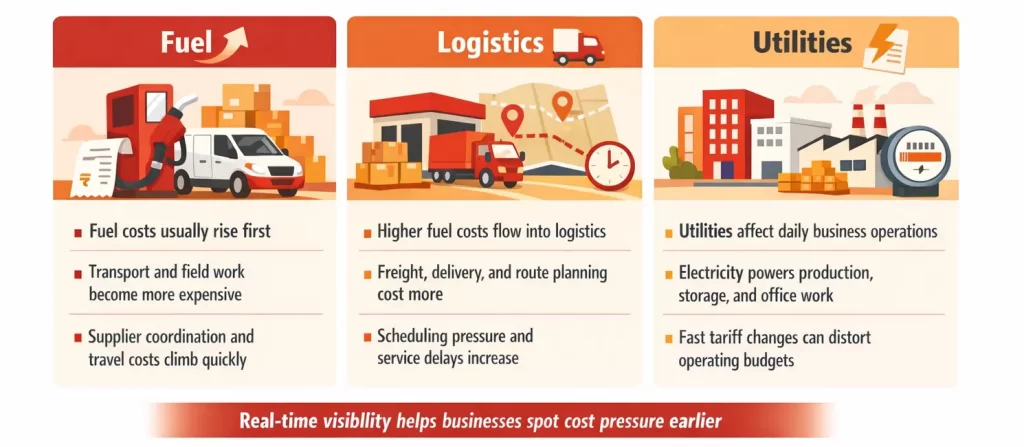
These three categories matter because they do not stay in one line item. Fuel affects transport. Transport affects logistics. Utilities affect production and branch operations. When all three move at once, the business feels the pressure across multiple departments, not just in finance. That is why companies need tighter visibility; during a volatile energy period businesses need faster budgeting, faster approvals, and faster operational decisions.
Accounting Software Helps Companies Cut Costs Faster
Accounting software allows finance teams to have a real-time view of money spent. This helps them compare branches, departments, projects, or cost centers in one place. It also helps teams detect wastes sooner. For instance, managers can detect growing utility bills, unusual fuel costs, or delivery costs exceeding budgeted amounts. This allows companies to respond to changing data more quickly. This means they can change budgets, prices, or non-essential spending right away.
These real advantages are crucial during an energy crisis, speed protects cash flow just as much as cost reduction does. Explore the best 12 accounting software in the Philippines and find the one that best fits your business.
12 Financial Management Tools Worth Considering
With so many options out there, it’s not easy to find the right fit. We’ve broken down 12 tools available in the Philippine market — covering their strengths, weaknesses, and who they’re built for.
1. HashMicro Accounting Software
HashMicro is a BIR-accredited platform that covers transaction tracking, asset management, liability monitoring, and expense recording. It’s built for businesses that want fast reporting and analysis without juggling multiple disconnected tools.
The system scales from small operations to enterprise-level setups, with built-in BIR compliance features. It works for business owners, accountants, and finance managers who need an automated approach to BIR-ready accounting.
HashMicro key features:
- Cash Flow Statements: This feature helps you make informed financial decisions, prevents cash shortages, and improves long-term sustainability.
- Asset Database and Depreciation: With this feature, you can ensure accurate financial planning, optimize asset utilization, and avoid unexpected losses.
- Client Monitoring Dashboard: This will allow you to personalize promotions, enhance customer retention, and improve overall dining experiences.
- PFRS-compliant financial reporting: This feature allows you to generate reliable reports effortlessly and maintain financial transparency.
- Financial budgeting and realization: This feature allows you to forecast expenses, track spending, and maximize profitability.
- Automated Tax Calculation: This feature eliminates manual tax errors, ensuring compliance while saving time and effort.
- Profit and loss with templates and budget forecast: With this, you can analyze your restaurant’s financial health and make strategic growth decisions.
- Financial statement with comparison: This can help you identify trends, optimize operations, and boost restaurant profitability.
- Bank Reconciliation: Matches internal records with bank statements to identify discrepancies and ensure accuracy. Integration with bank reconciliation software enables automatic data import, real-time matching, and faster error detection.
| Pros | Cons |
|
|

2. Xero
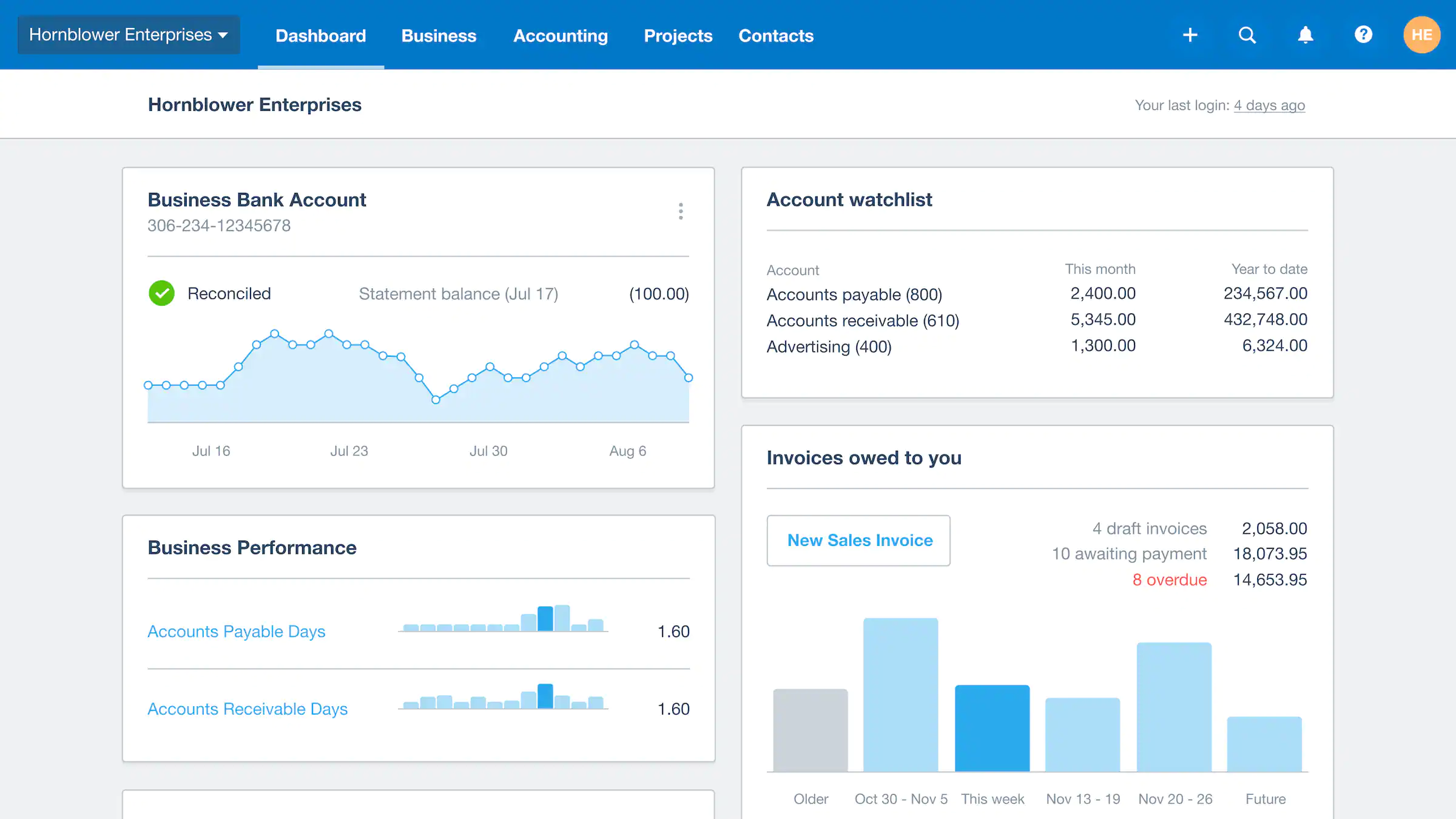
If you’ve looked into cloud-based alternatives to Xero for Philippine businesses, you’ll know it’s popular with SMEs for its clean interface and live bank feeds. It handles invoicing and payroll well, but it doesn’t come with built-in BIR integration — a notable gap for local compliance.
That said, it supports both cash-based and accrual-based bookkeeping, which suits companies following IFRS standards.
Xero key features:
- Bills tracking
- Bank connections
- Online payment
- Financial reporting
- Inventory tracking
- Multi-currency accounting
| Pros | Cons |
|
|
3. QNE Accounting Software
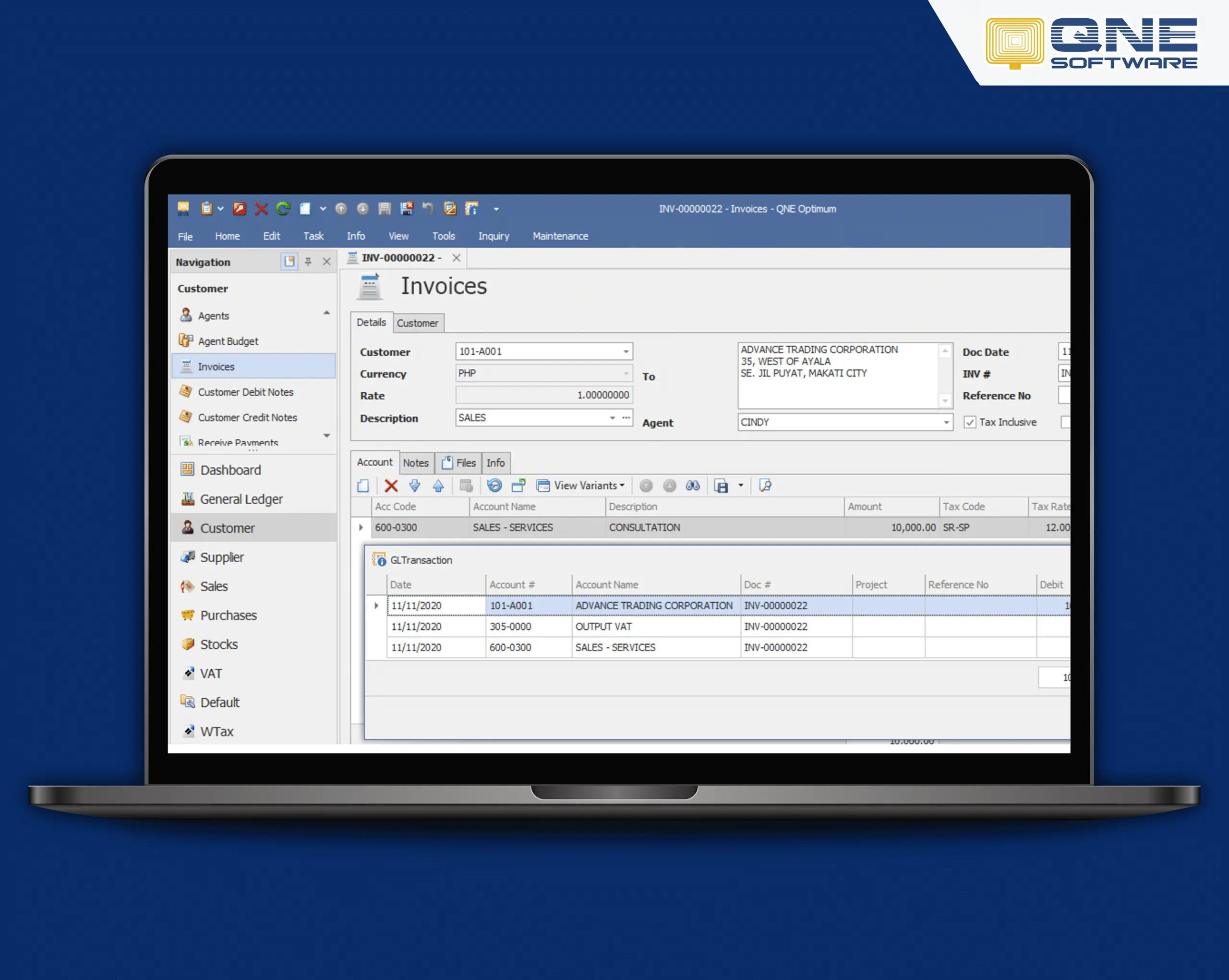
QNE Software is a localized accounting system Philippines option known for its user-friendly interface and customizable reporting tools. It assists with financial accounting, progress billing, and sales distribution modules.
The developers built it specifically for local business needs and challenging environments in the region. The software offers real-time processing, data handling, database recovery, and scheduled backup, enabling users to manage their accounting operations efficiently.
QNE key features:
- Cloud-based deployment
- Online order portal
- Online customer portal
- BIR CAS-ready
| Pros | Cons |
|
|
4. QuickBooks Accounting Software
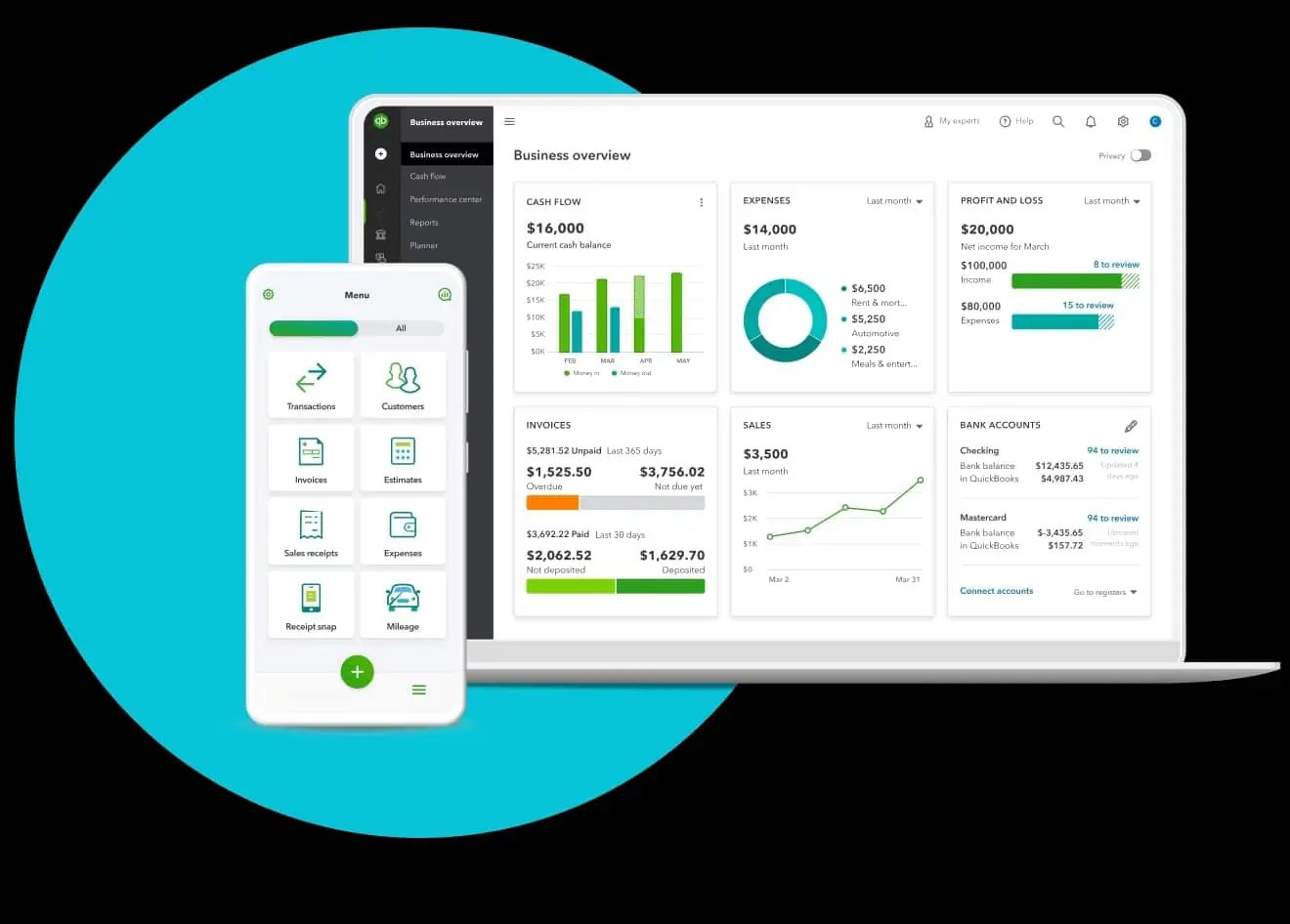
QuickBooks is a well-known accounting system with several plan tiers worth comparing. It’s accessible from multiple devices and suits small to midsize businesses that need standard financial tracking without heavy customization.
QuickBooks key features:
- Purchasing and vendor management
- Reporting and analytics
- Time and expense management
- Invoicing and billing
- General ledger
| Pros | Cons |
|
|
5. JuanTax
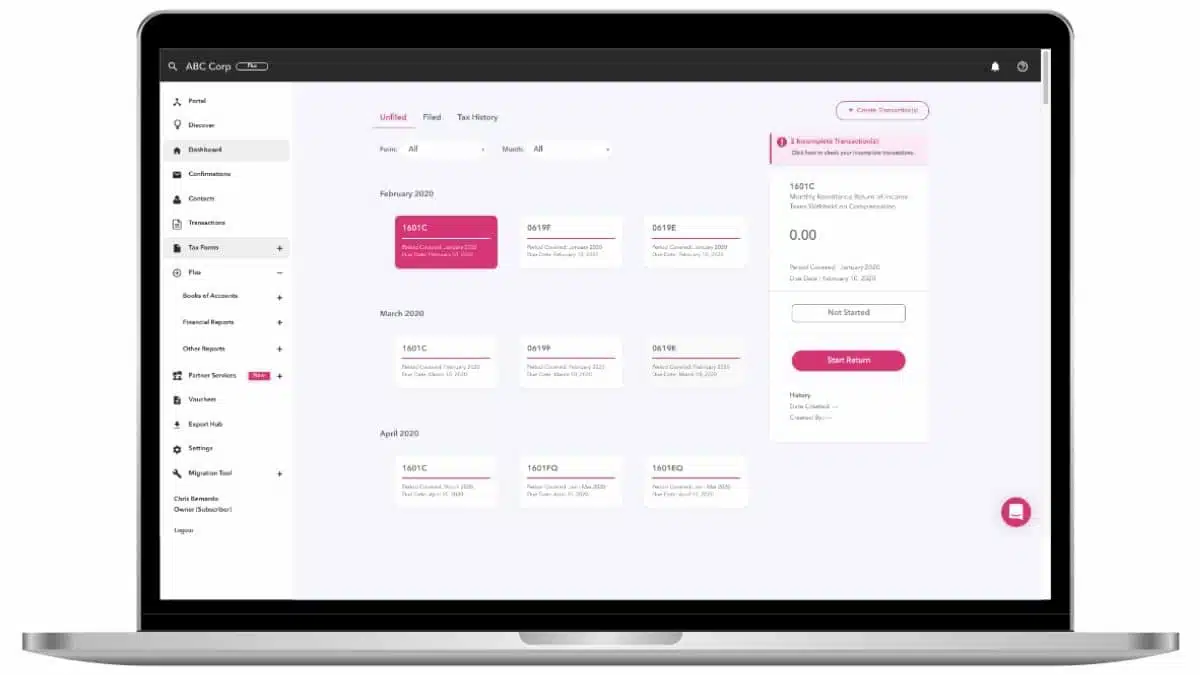
JuanTax is a modern tax and accounting system tailored for businesses in the Philippines. Designed to simplify tax compliance, it automates tax calculations, tracks expenses, and generates required reports for both small and large enterprises.
JuanTax key features:
- Tax Compliance Automation
- Real-Time Reporting
- Expense and Invoice Tracking
- Cloud-Based Access
| Pros | Cons |
|
|
6. FreshBooks Online Accounting Software
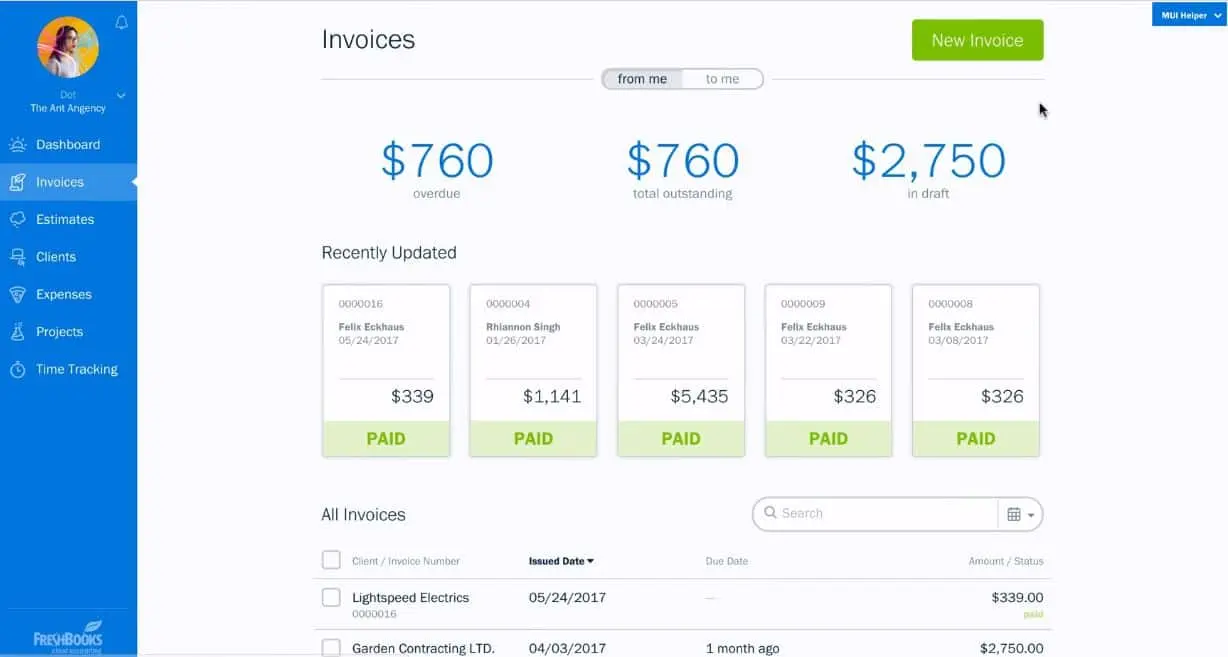
FreshBooks is one of the best small business accounting software for business owners, freelancers, and sole proprietors. It simplifies financial management for Filipino businesses by tracking payments and expenses, managing invoices, and facilitating payments.
FreshBooks key features:
- Budget and cost management
- Reporting
- Chart of Accounts
- Time tracking
- Project management
| Pros | Cons |
|
|
7. AccountEdge
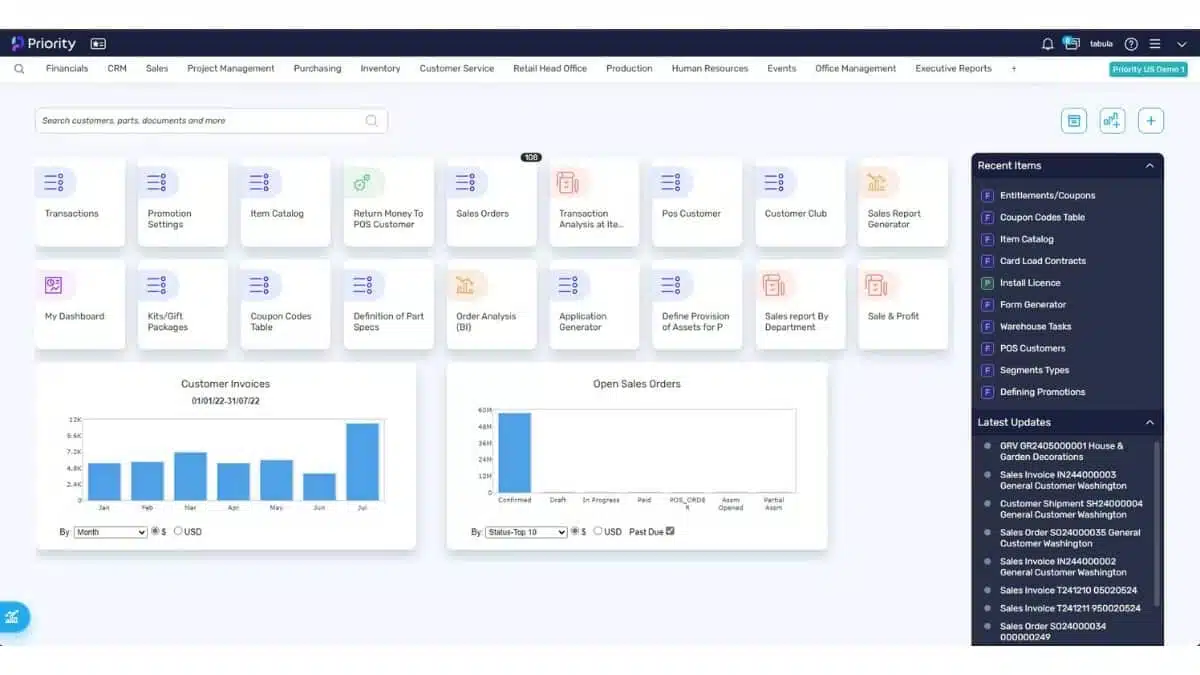
AccountEdge is a reliable software designed for businesses looking for a desktop-based solution. With features ranging from payroll to inventory management, it caters to small and medium-sized companies that need comprehensive accounting tools.
AccountEdge key features:
- Complete Accounting Management
- Payroll Processing
- Inventory Control
- Customizable Reports
| Pros | Cons |
|
|
8. Sage 50
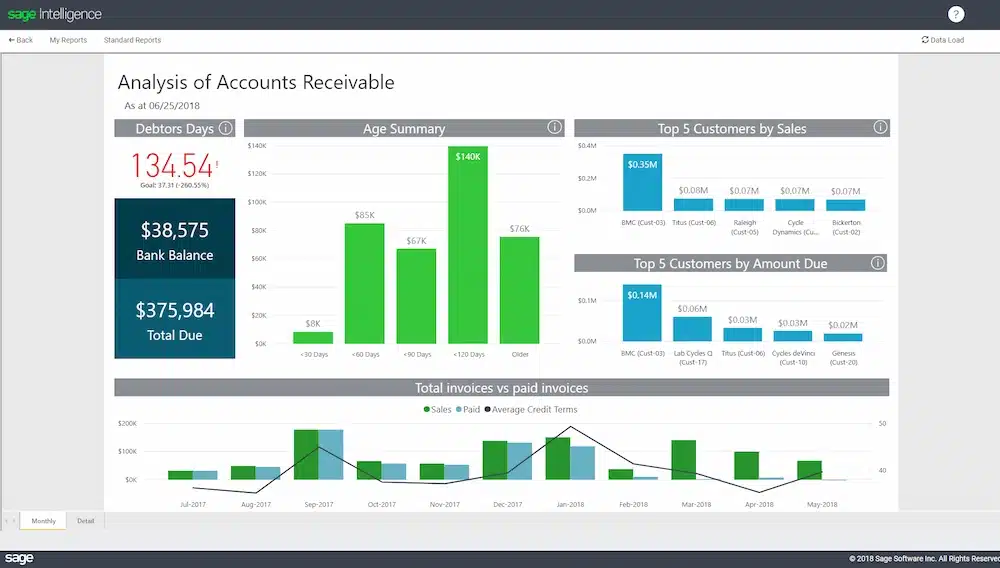
Sage 50 is one of the best small-business accounting software options for medium-sized businesses. This accounting tool operates on a desktop platform with cloud-connected capabilities, which can integrate with Microsoft 365.
This software offers three versions: Pro Accounting is ideal for single users, Premium Accounting supports multiple users with advanced features such as serialized inventory tracking, and Quantum Accounting is designed for larger teams with role-based permissions.
Sage 50 key features:
- Invoicing and Billing
- Expense Tracking
- Inventory Management
- Bank Reconciliation
- Financial Reporting
| Pros | Cons |
|
|
9. Zoho Books
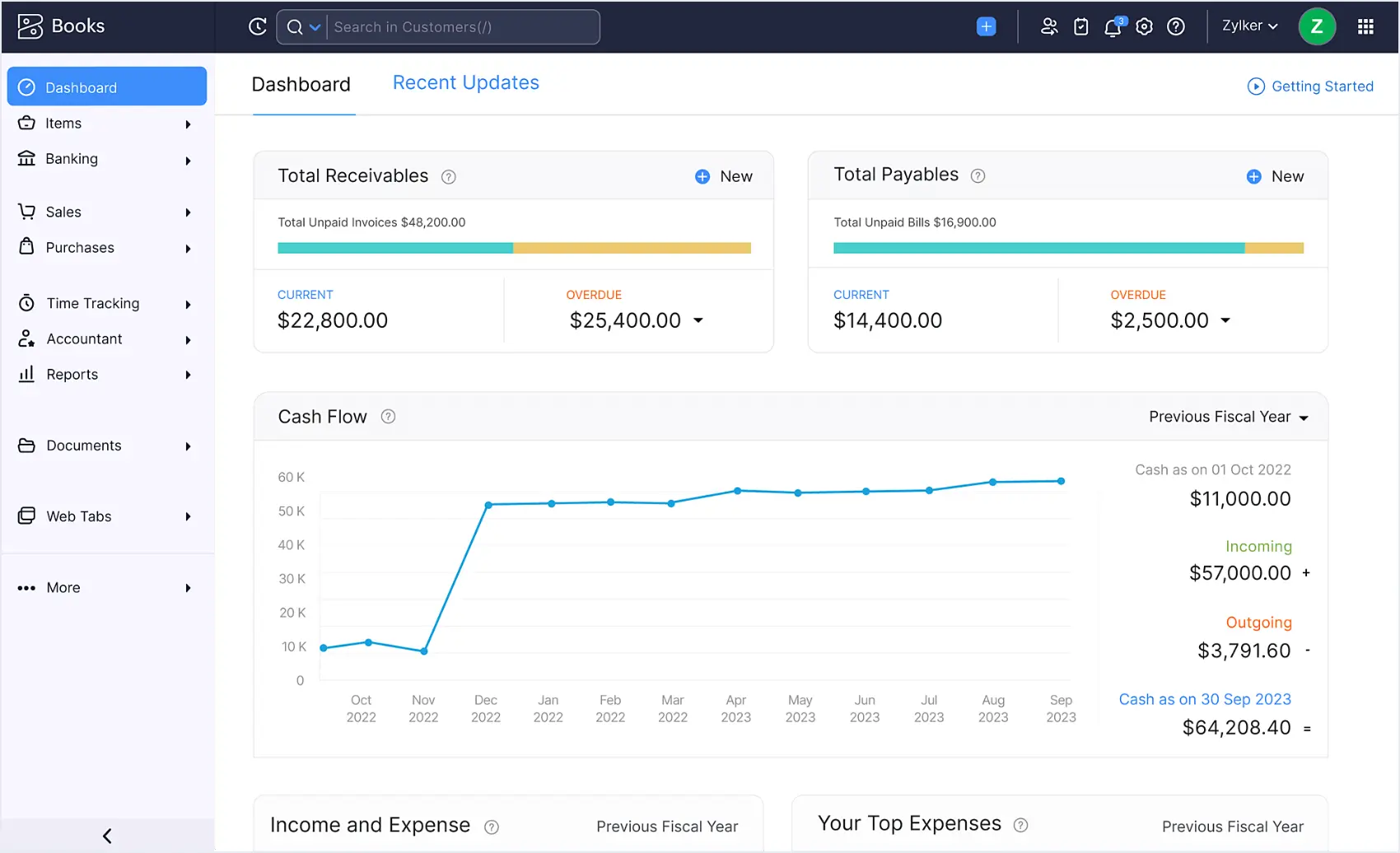
Zoho Books is a solid cloud option that covers invoicing, inventory management, and project tracking under one roof.
If your team already uses the Zoho ecosystem, this is a natural fit — it connects smoothly with 40+ Zoho apps like CRM and Inventory. You can compare Zoho’s capabilities against other platforms here.
Zoho Books key features:
- Inventory management
- Bank integration
- Expense tracking
- Customer portal
| Pros | Cons |
|
|
10. Wave Accounting System Software
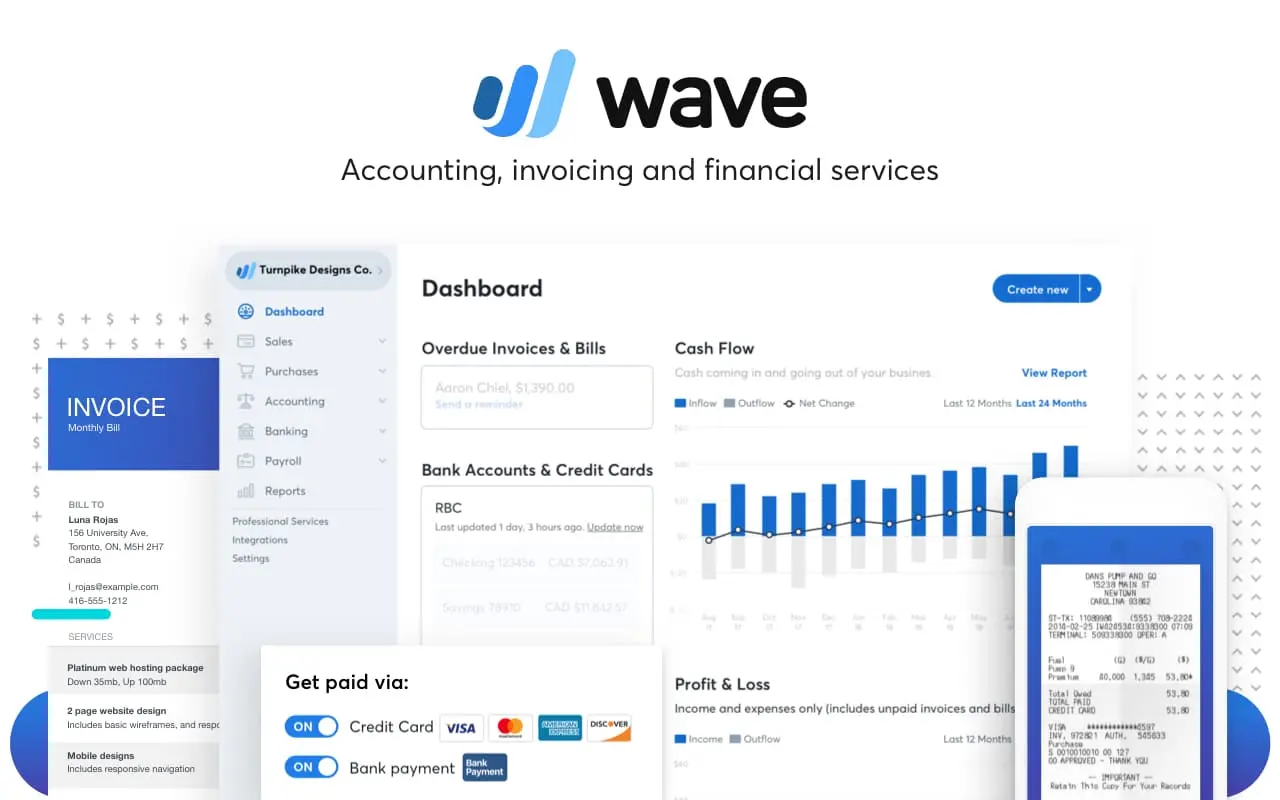
Wave is free retail accounting software designed for businesses in the Philippines that aim to minimize their expenses. It provides a range of financial management tools.
Wave accounting software examples help you oversee cash flow by tracking income and expenses, managing accounts receivable and payable, generating reports, automating tasks, and allowing multiple users.
Wave key features:
- Income and expense tracking
- Customizable sales taxes
- Exportable basic accounting reports
- Online payment
| Pros | Cons |
|
|
11. Kashoo
Kashoo is a cloud accounting software for businesses in the Philippines seeking to manage their finances independently. With Kashoo, users can create invoices, track expenses, manage transactions, and handle other accounting tasks from any device.
Kashoo offers three plans: a free plan, which includes invoicing and payment tracking, and a small plan. Accounting for automated income and expenses tracking, and Kashoo, for full features unlocked.
Kashoo key features:
- Inventory tracking
- Customizable layout
- Invoicing and bill management
- Reporting
- AR/AP functionality
- Tax Management
| Pros | Cons |
|
|
12. Microsoft Excel
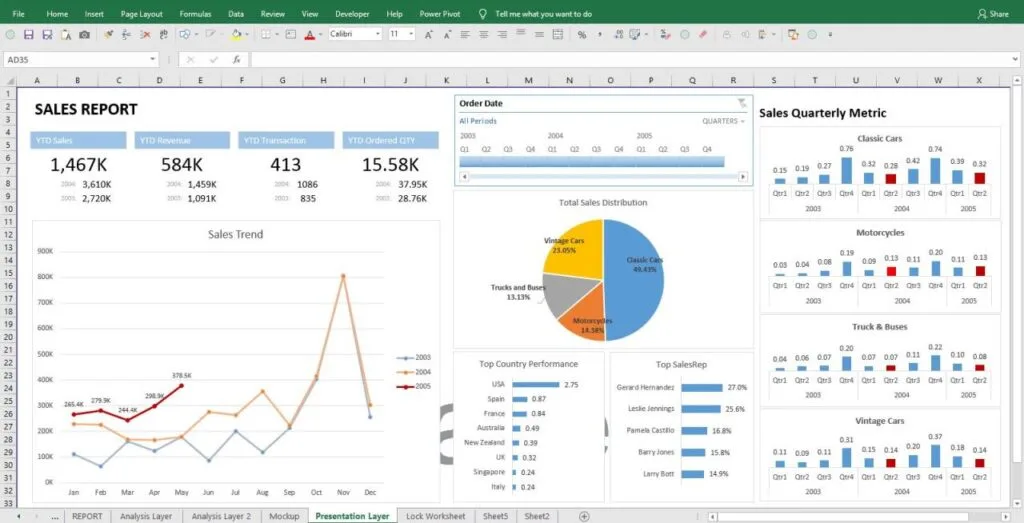
Microsoft Excel remains a widely relied-upon tool for accounting tasks across businesses in the Philippines. Its familiarity, flexibility, and accessibility make it a practical choice for companies looking to manage their financial data with precision and control.
Microsoft Excel key features:
- Built-in formulas for quick calculations and data analysis
- Charting tools to visualize trends and patterns
| Pros | Cons |
|
|
Full Comparison of Accounting Software
Best Accounting Software Recommendation for Various Business Needs
- An all-in-one accounting solution with strong reporting, scalability, and local tax readiness for growing businesses → HashMicro
- Real-time cloud accounting tools suited for small businesses that prioritize simplicity and quick setup → Xero, FreshBooks, Kashoo
- Accounting software focused on ease of use and solid financial reporting for small to mid-sized companies → QuickBooks, Sage 50
- Tax-focused and compliance-driven solutions designed for fast and simple local tax filing → JuanTax
- Flexible accounting platforms with invoicing, inventory, and basic project management in one ecosystem → Zoho
- Budget-friendly or free tools suitable for micro-businesses with basic accounting needs → Wave
- Spreadsheet-based tools commonly used for manual accounting and basic financial tracking → Microsoft Excel
How to Choose the Right Financial Tool for Your Business

There’s no one-size-fits-all answer here. Your pick depends on where your business is today and where it’s headed. Keep these five factors in mind:
1. Budget
Know your ceiling before you start shopping. Entry-level cloud tools run ₱800–₱2,500/month, while full ERP-integrated systems can go above ₱10,000/month. Factor in implementation costs and per-user fees — some vendors charge extra for each additional seat.
2. Features
Besides the budget, consider whether the accounting tool’s features fit your needs. List essential functions like invoicing, expense tracking, and financial reporting. Also, look for software that integrates smoothly with other tools you use.
Pro tip: Choose a scalable system to future-proof your business. For example, FMCG companies may initially start with accounting software, but later require ERP solutions that integrate new modules as they expand into distribution and inventory.
3. Scalability
Think long-term. If you’re processing 500 transactions a month now but expect 5,000 within two years, pick a system that grows with you. Switching tools mid-growth is expensive and disruptive.
4. Integration
Your accounting tool shouldn’t exist in a vacuum. It needs to talk to your inventory system, CRM, payroll, and e-commerce platform.
For example, integrating an accounting tool with inventory management ensures that inventory levels are accurately reflected in financial reports. Linking it with CRM software speeds up invoicing and helps you track customer payments faster.
5. Security
Don’t overlook data security. Look for vendors with ISO certification, encrypted data storage, role-based access controls, and two-way matching to guard against payment fraud. This matters especially for businesses handling sensitive BIR data and multi-branch financial records.
5 Warning Signs Your Current Accounting Setup Is Costing You
Not sure if it’s time to switch? If two or more of these apply, your current system is probably holding you back:
- You manually re-enter data between your accounting tool and your inventory or payroll system. That’s not just slow — it’s where errors sneak in.
- Your BIR reports require a separate process outside the software (exporting to Excel, reformatting, printing). A BIR-accredited system should generate these directly.
- You’ve hit the user limit or transaction cap on your current plan, and upgrading costs more than switching entirely.
- Your month-end close takes more than 5 business days. Modern tools with auto-reconciliation cut this to 1–2 days.
- You can’t see a real-time cash position on demand. If you need to run a report and wait, you’re working with stale data.
Conclusion
There’s no single “best” accounting software — only the best fit for your specific situation. A freelancer invoicing five clients a month has very different needs from a multi-branch manufacturer filing monthly BIR returns across several entities.
Start by narrowing your shortlist using the decision matrix above. Then test-drive your top two or three picks before committing. Most vendors offer free trials or consultations — use them. Pay close attention to how well each tool handles BIR compliance, because that’s the one area where cutting corners will cost you later.
Whatever you choose, moving off manual spreadsheets is already a win. The real question isn’t whether you need accounting software — it’s which one gets out of your way and lets your finance team focus on the numbers that actually matter.

FAQ About Accounting Software
-
What do accountants mostly use?
Most accountants use Excel plus accounting software to manage analysis, bookkeeping, reporting, and daily finance tasks.
-
What are the three types of accounting software?
The three main types include:
1. ERP System: Integrates accounting with inventory, sales, procurement, and HR in one platform.
2. Billing and Invoicing System: Focuses on issuing invoices and managing customer payments.
3. Payroll Management System: Automates salary calculations, deductions, and statutory contributions. -
How does accounting system software work?
Accounting software automates financial processes by recording transactions, categorizing income and expenses, and generating financial statements. Users input sales, purchases, or payments, and the system converts the data into structured reports such as profit and loss statements, balance sheets, and tax summaries.
-
Why do businesses need accounting software?
Manual bookkeeping is time-consuming and prone to errors. Accounting software reduces manual work, improves accuracy, and provides real-time financial visibility, enabling business owners to make informed decisions based on up-to-date data.
-
Which accounting software does BDO use?
BDO Unibank Philippines has been reported to use SAP Concur Expense, which is mainly for expense management and spend control.